Reimbursement
Before paying for conference travel, confirm approval, available funding, and eligible expenses with your advisor or department administrator. Reimbursement depends on university policy and the funding source.
This guide illustrates a student expense-report workflow in BuyIt. Confirm the current submission process with your department; the screenshots may differ from the current interface. Illinois Tech's Travel Policy (J.3) (opens in a new tab) and Procurement Services guidance (opens in a new tab) govern travel expenses.
Keep itemized receipts, proof of payment, and the purpose of each expense. Grant-funded purchases require receipts regardless of amount.
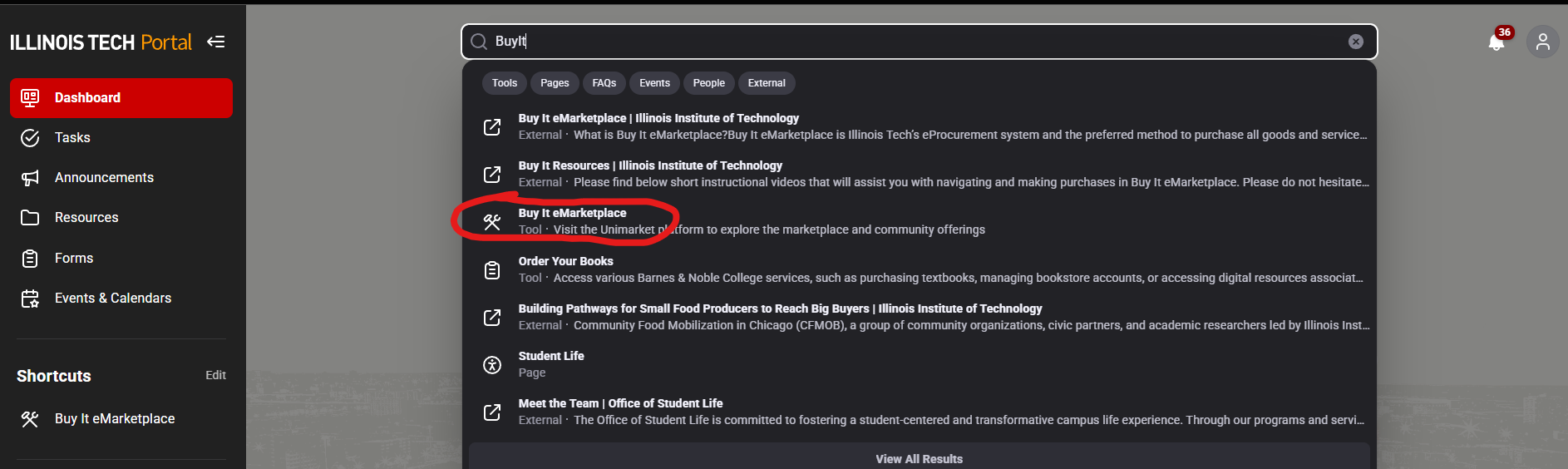
Get to the IIT Application Portal
 |
|---|
| Where to click to get to the application portal |
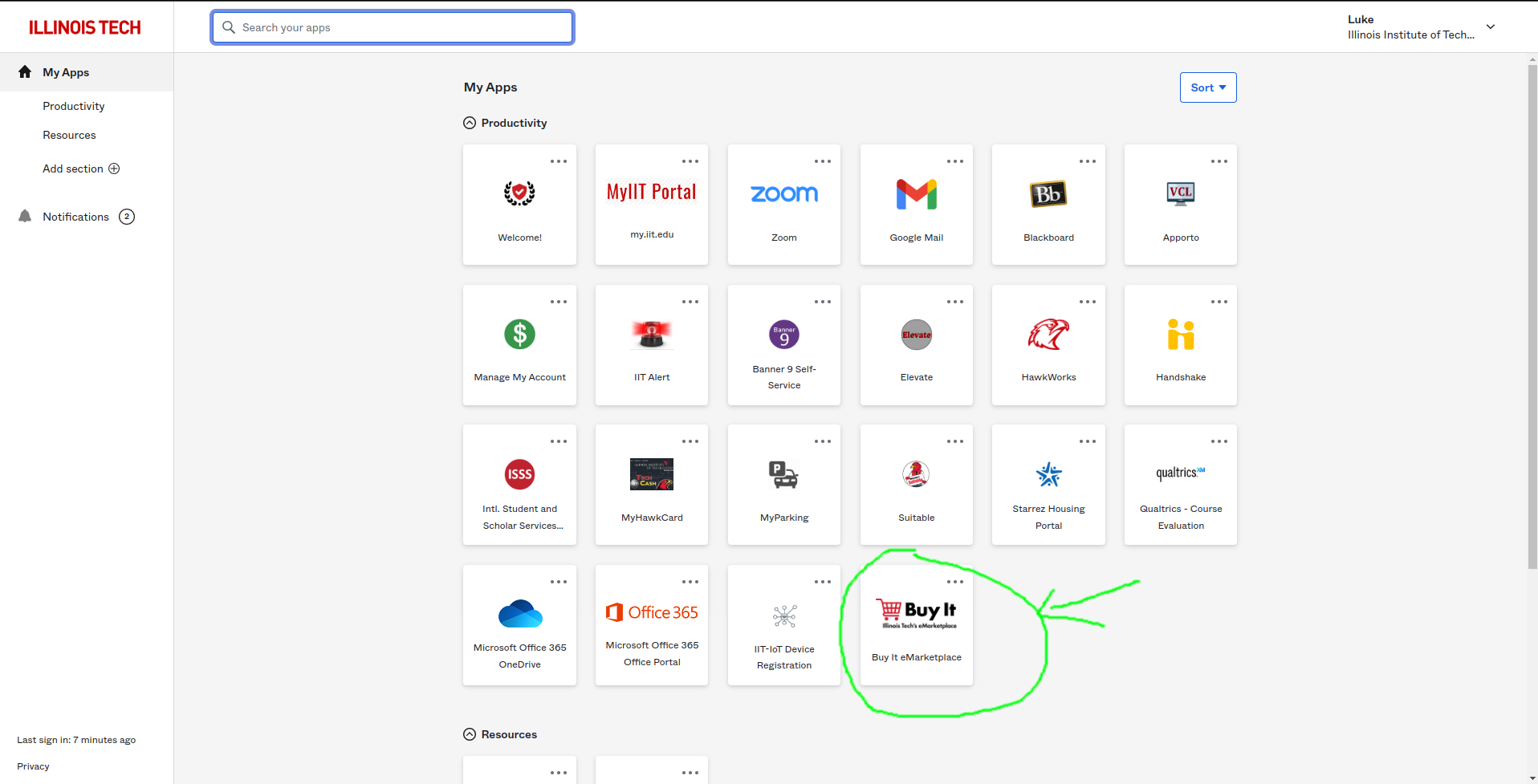
Find the BuyIt App
 |
|---|
| Where to click to get to the BuyIt App |
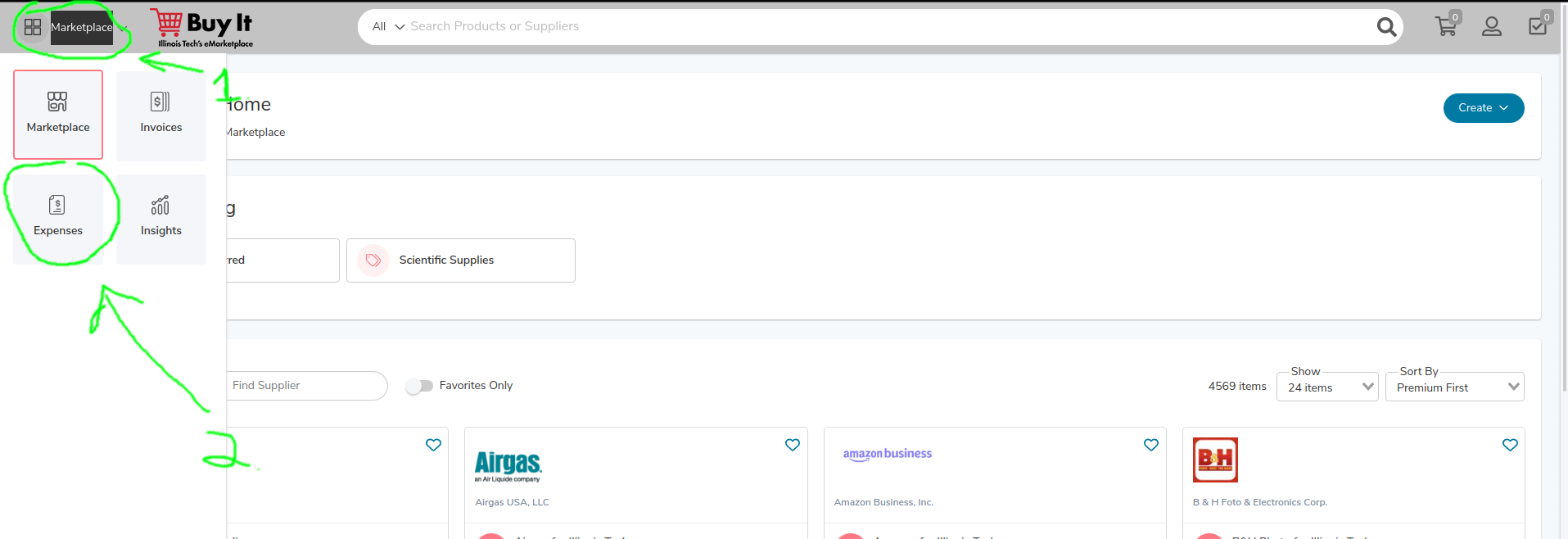
Find the Expenses Tab
 |
|---|
| Where to click to get to the expenses tab |
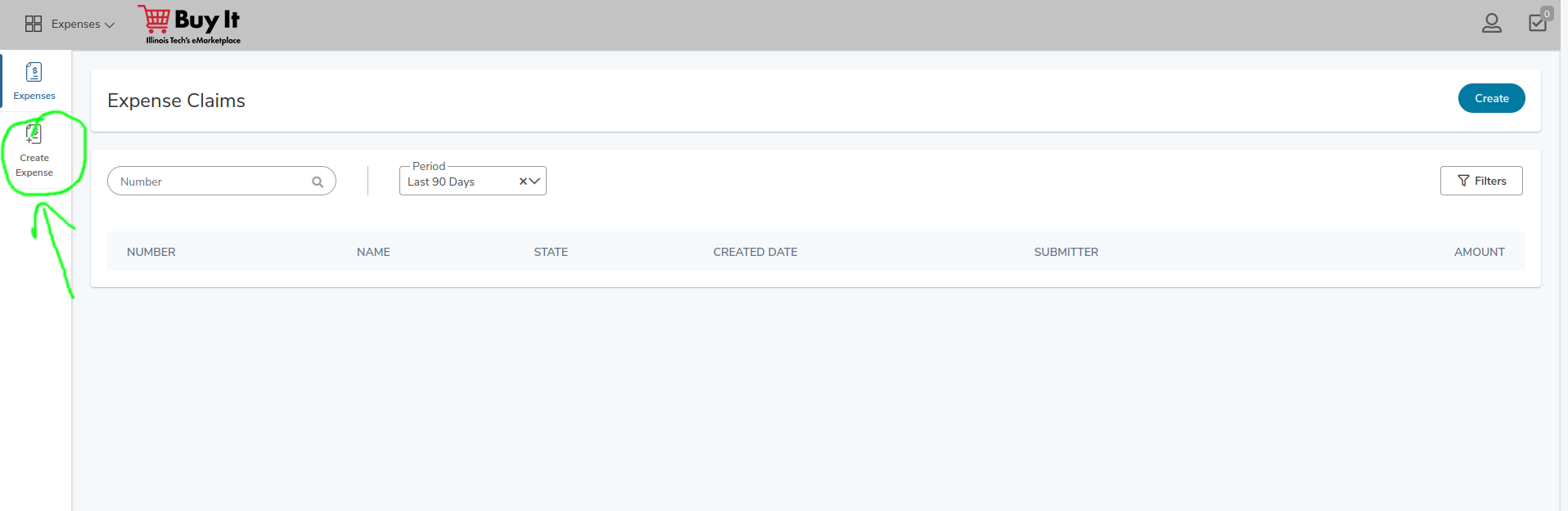
Create an Expense Report
 |
|---|
| Where to click to begin an expense report |
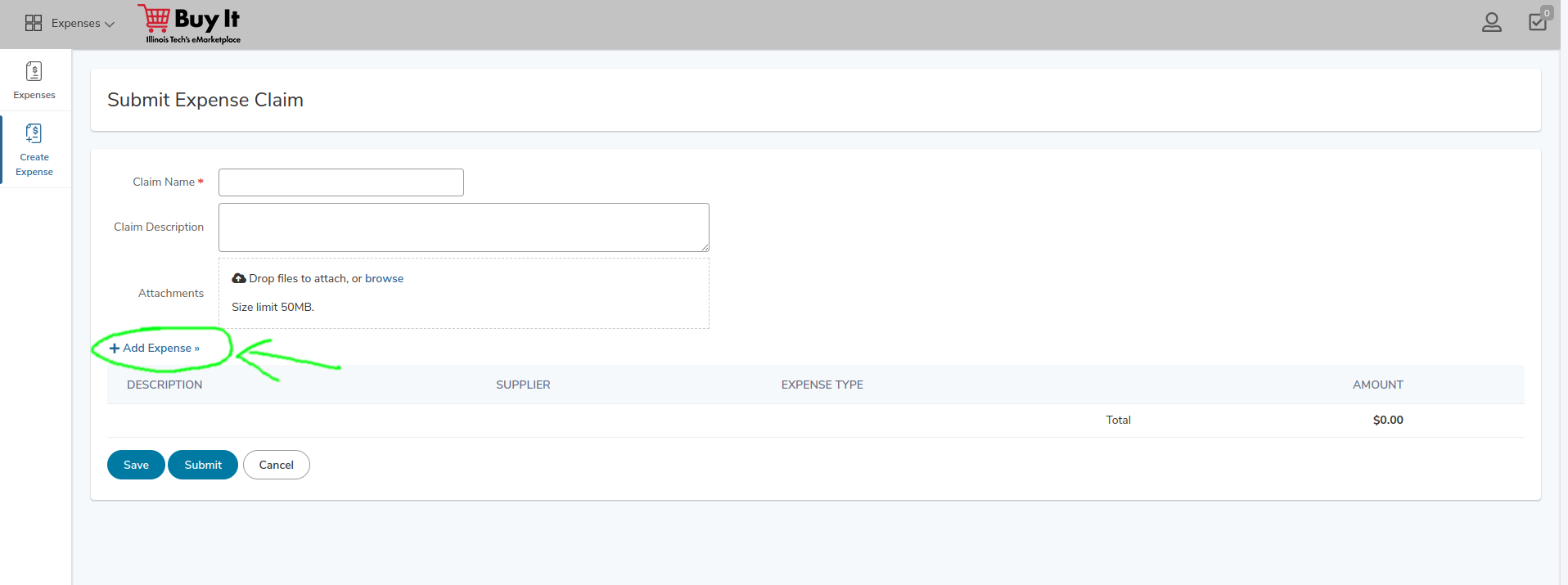
Adding Expenses
 |
|---|
| Where to click to add an expense |
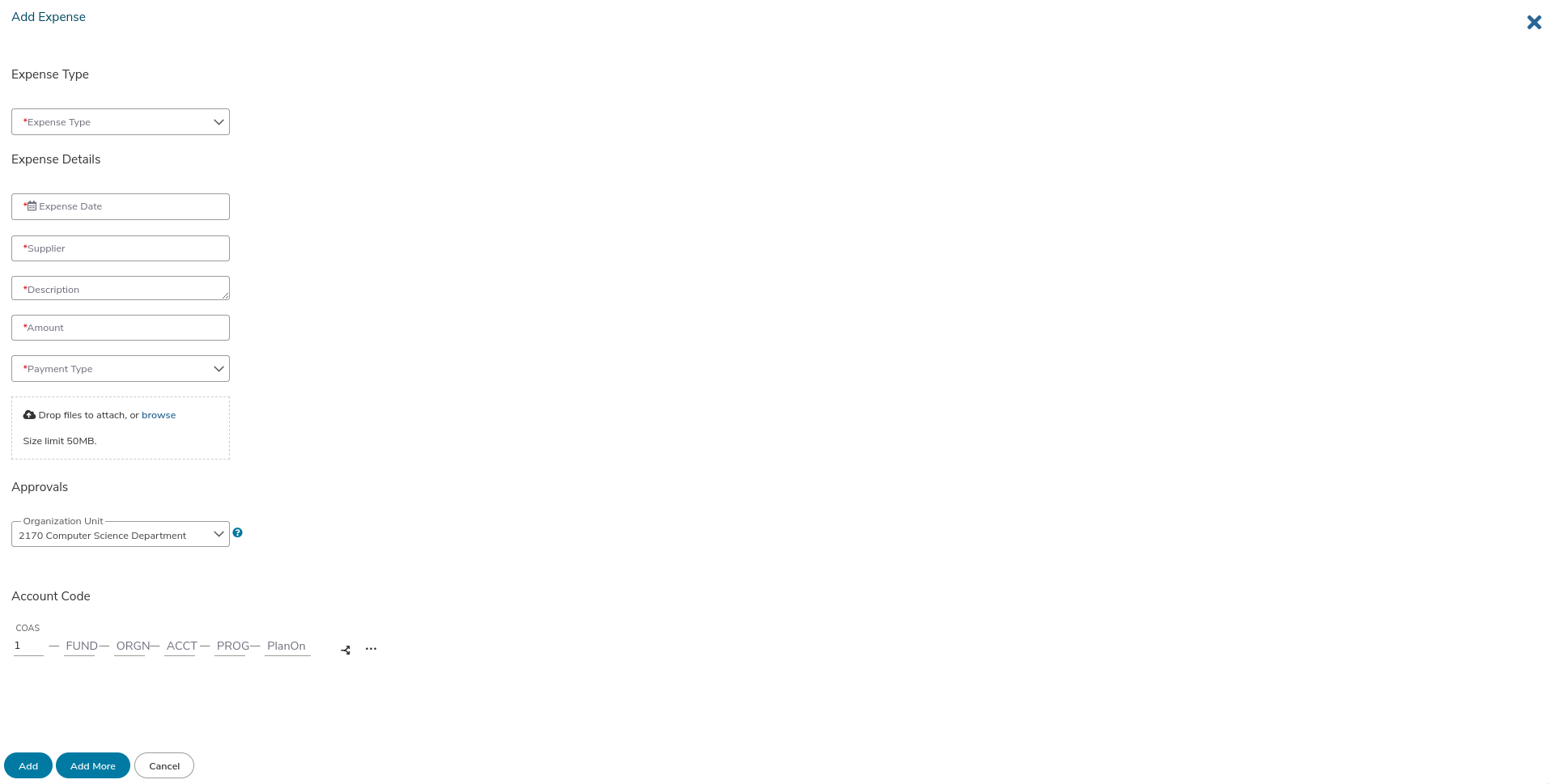
Filling in Expenses
 |
|---|
| The expenses page |
Common travel expense categories include:
- Conference Registration
- Flight Ticket
- Hotel/Lodging Expense
- Meals
- Ground Transportation (bus, train, taxi, or rideshare)
Account Code
Ask your advisor or department administrator for the account code and funding information. Confirm them before submitting the report.
Organization Unit
Use the organization unit supplied by your department administrator. Do not copy a code from an old report or screenshot without confirming that it applies to your expenses.
Payment Type
 |
|---|
| conference registration expense |
Choose personally funded for expenses you paid yourself. Use the payment type that matches the transaction; do not claim reimbursement for an expense already paid by the university.
Conference Registration
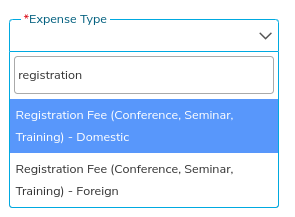
Expense Type
 |
|---|
| conference registration expense type |
Search for "registration" in the Expense Type box. The illustrated interface distinguishes domestic and foreign registration fees. Choose the current option that matches the conference location, and ask your department if the available labels differ.
Description
 |
|---|
| conference registration expense |
In the description, state something like: "Registration fee for the [CONFERENCE] conference."
Upload Files
Document the purpose and payment of the registration:
- Attach supporting material for your participation. If you presented a paper, include the program entry showing your name and paper.
- Attach the registration receipt and proof of payment required by your department.
Flight Ticket
Attach the itinerary, receipt, and proof of payment. Confirm booking requirements before purchasing; the travel policy identifies the university's preferred travel agency.
Hotel
Attach the itemized hotel bill and separate lodging from meals, parking, and other charges.
Ground Transportation
Record the purpose and cost of each trip. Attach receipts for grant-funded expenses, including trains, taxis, rideshares, and car rentals.
Meal Expenses
Confirm your eligibility and the required reimbursement method before travel.
- Actual expenses: Keep itemized meal receipts and report the eligible amounts you paid.
- Per diem: The university travel policy permits meal allowances for faculty, staff, and student employees traveling for their employment. It excludes non-employees and student employees being reimbursed for academic expenses unrelated to their employment. Do not assume that conference travel qualifies.
Your department and funding source may impose additional restrictions. If per diem is approved, use the applicable rate and documentation specified by the travel policy. Do not claim the same meal as both an actual expense and a per diem.
Foreign Conference Considerations
Confirm foreign-travel requirements with your department before booking, including any conditions imposed by the grant. The travel policy addresses foreign travel and use of U.S. air carriers on federally funded trips.